Silos
Menu

Product

Product overviewThe panelNeeds youAgentsTasksAutomationsSilosEnginesOpen source

Solutions

Solutions overviewCoding agentsA small businessSupportFinance

Resources

Compared with terminal tabs

Company

About

Docs

All the docsInstall

Product › Open source

Files, not a database.

Silos is open source under the MIT license and runs on your own machine. Tasks are JSON in the project folder, conversations are the engine's own transcripts, and Silos' state lives under ~/.silos, so you can read, back up and move all of it.

Everything is a file you can open

Tasks live in plans/*.plan.json in each project. Conversations are Claude Code's transcripts in ~/.claude/projects, or OpenCode's own database. Agents, automations, runs and the Vault live under ~/.silos.

To back up everything worth keeping, copy ~/.claude/projects, ~/.silos and ~/.claude/settings.json. Deleting moves things to ~/.silos/trash/, which empties itself after 30 days.

acme-shop/
  plans/tasks.plan.json     your tasks
  .claude/skills/           the project's skills
  CLAUDE.md                 its instructions

~/.silos/                   agents, vault, automations
~/.claude/projects/         conversations (the engine's)
The folder tree where everything lives.

What stays on your machine, and what does not

Silos listens on 127.0.0.1 only. What leaves is what you choose: your agents' turns go to their model provider, usage windows are read from the same source as Claude Code's /usage, and a signed Vault call goes to the host you bound.

Google sign-in is optional: without ~/.silos/firebase.json nothing changes. Push notifications are optional too: they pass through the browser's push service encrypted, and say only how many things and what kind.

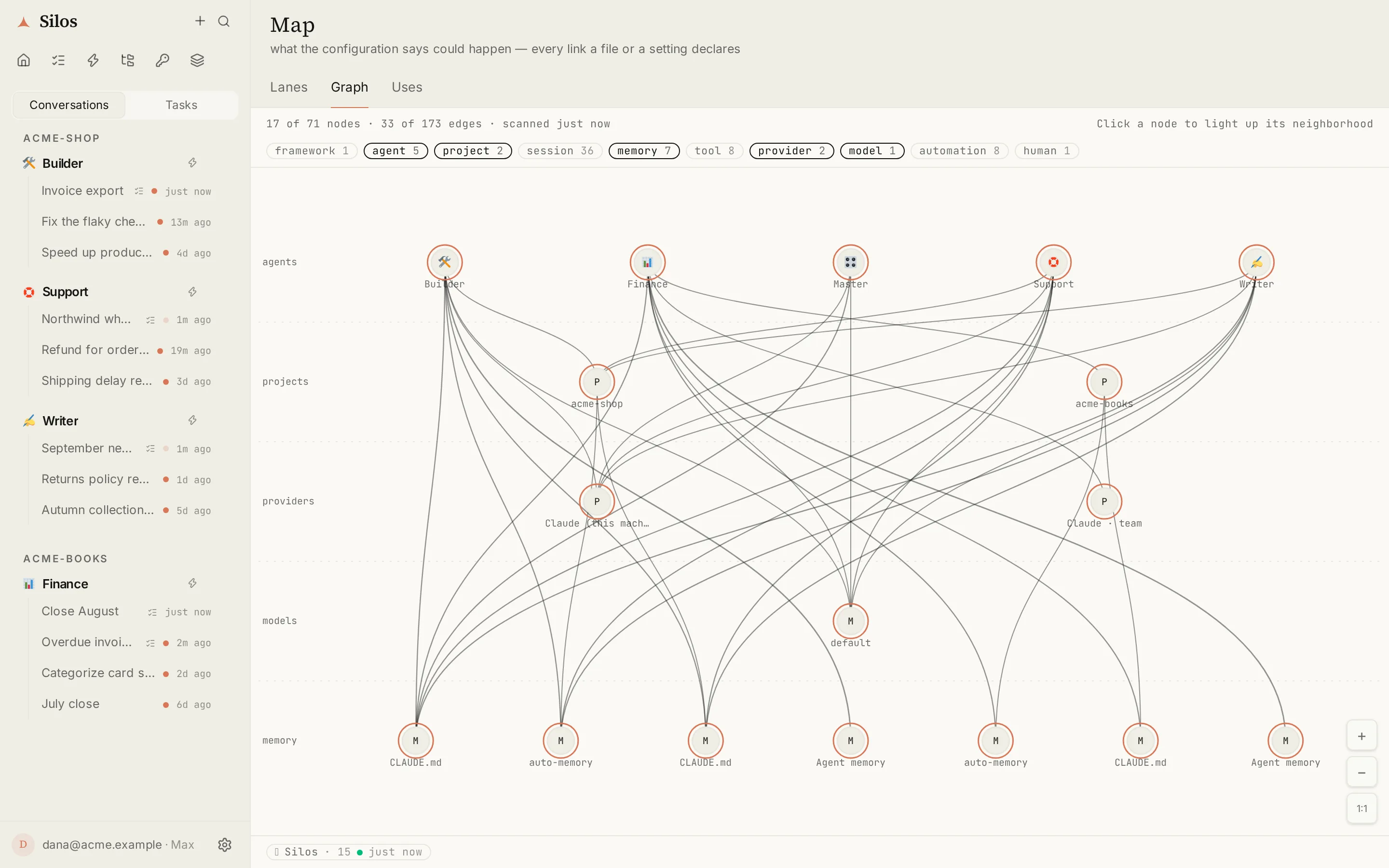
The graph: agents, projects, accounts, the model and memory files, linked.
Agents, projects, accounts, model and memory files, linked. Demo data.

Safe defaults, said with their limits

~/.silos is created 0700, and the token, the Vault and provider keys are 0600 files. A local request without a token can only read; every write needs an identity, and anything through a tunnel needs a token for every request.

Secrets reach a console through an env file the launcher reads and deletes, never on the command line, and API answers mask them. If a state file changes outside Silos, Silos restores its copy and asks you in Needs you.

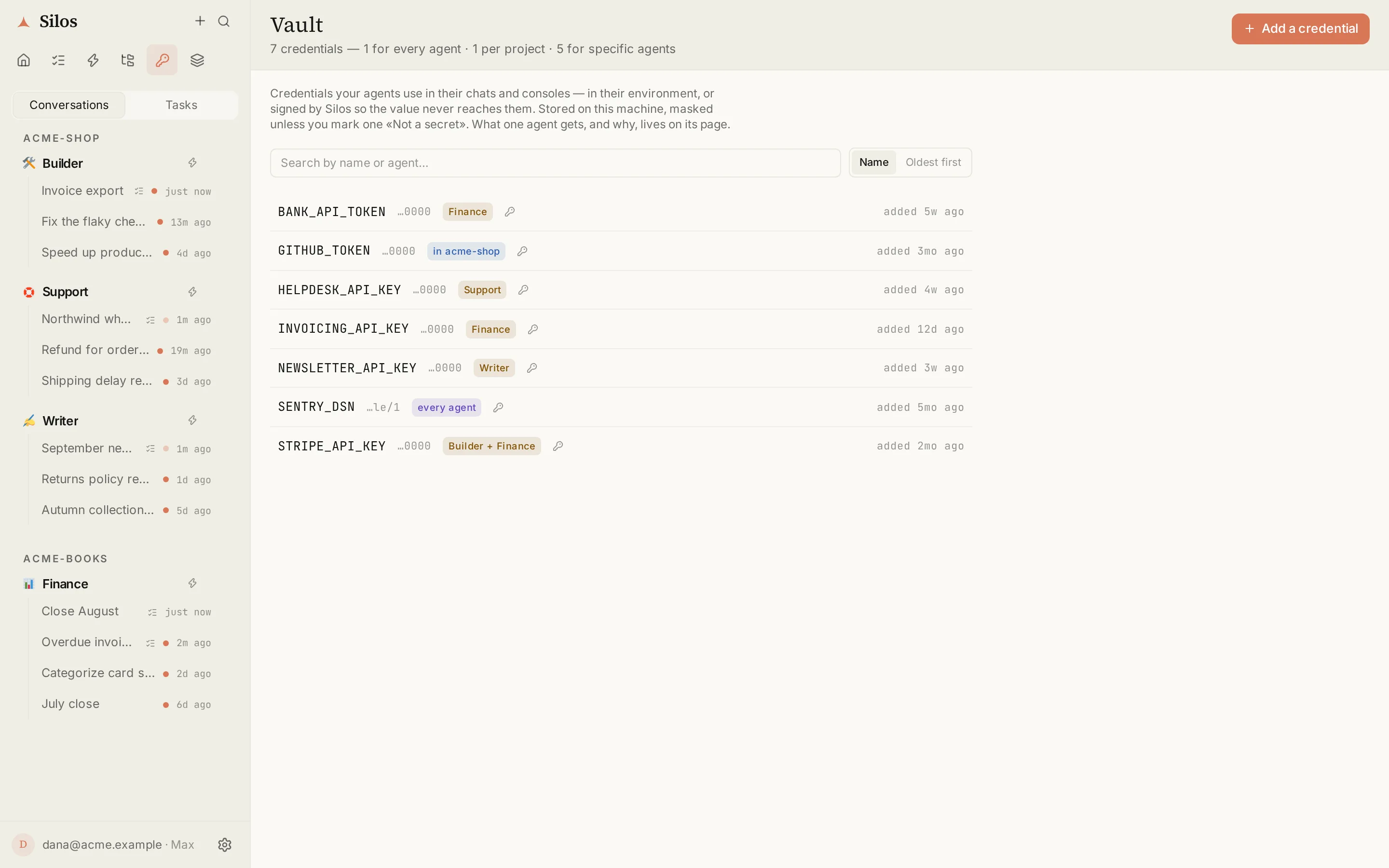
The Vault: seven credentials, each with the agents that can see it.
The Vault: each credential with the agents that can see it. Demo data.

Silos' storage compared with a hosted database

A hosted databaseSilos
Where data livesSomeone else's serverYour disk
Reading a taskThrough the appOpen the JSON file
BackupsThe vendor'sCopy three paths
Reaching it from a phoneBuilt inA tunnel you set up
TeammatesBuilt inNo door yet: you relay

Questions

Is it free?

Silos is open source under the MIT license: you may use, change and share it. The Agent SDK it depends on is distributed under Anthropic's own terms, and using Silos means using the SDK under those terms.

Does anything leave my machine?

Your agents' turns go to the provider you chose, Silos reads each Claude account's usage windows, and signed Vault calls go to the hosts you bound. Google sign-in and push notifications leave only if you turn them on.

Can I reach it from my phone?

Yes, through a tunnel or reverse proxy you put in front of it on the same machine, such as cloudflared or Caddy. Setting that up needs someone comfortable with a terminal and a domain.

Does it sandbox my agents?

No. The territory fences an agent's file tools, but a script it runs in a shell runs as you. An optional network allowlist sends an agent's web traffic through a local proxy that lets through only the hosts you list.

What if I lose ~/.silos?

You lose no transcripts, but you lose identities, automations and configuration. Back it up with ~/.claude/projects and ~/.claude/settings.json.

Read the code, then run it

Silos is MIT. Install it with one command and see where every file it writes lives.