Silos
Menu

Product

Product overviewThe panelNeeds youAgentsTasksAutomationsSilosEnginesOpen source

Solutions

Solutions overviewCoding agentsA small businessSupportFinance

Resources

Compared with terminal tabs

Company

About

Docs

All the docsInstall

Solutions › Finance

See what is overdue, and settle the agent's questions in one tap.

A finance agent keeps an invoices silo in sync from your invoicing service every day. Home shows what is outstanding, an overdue sale invoice reaches Needs you, and you mark it paid.

Your invoices on Home, synced by an agent every day

The invoices silo is a reference silo you install from Settings › Silos. A finance agent bound to it syncs sale and purchase invoices from your invoicing service once a day, one file per invoice, and a record that did not change is not rewritten.

Home's pulse shows the total outstanding on sale invoices. An overdue one becomes a Needs you row, where you mark it paid or message the agent, for example «Chase payment for …». What you set stays above the sync until the service agrees.
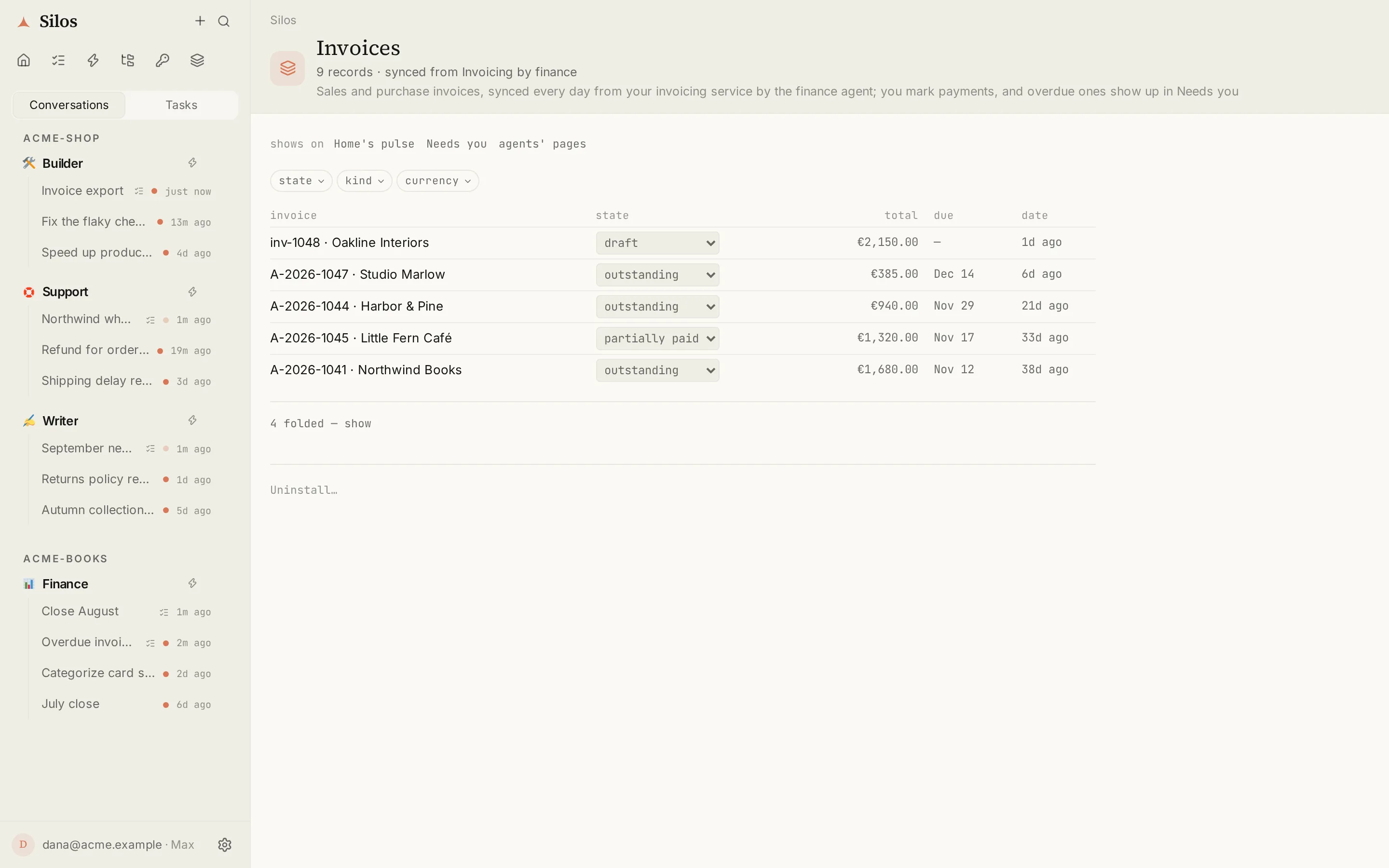
An invoices silo's page: five invoices with their state, amount and due date.
An invoices silo's page. Demo data.

Questions about the books, answered with one tap

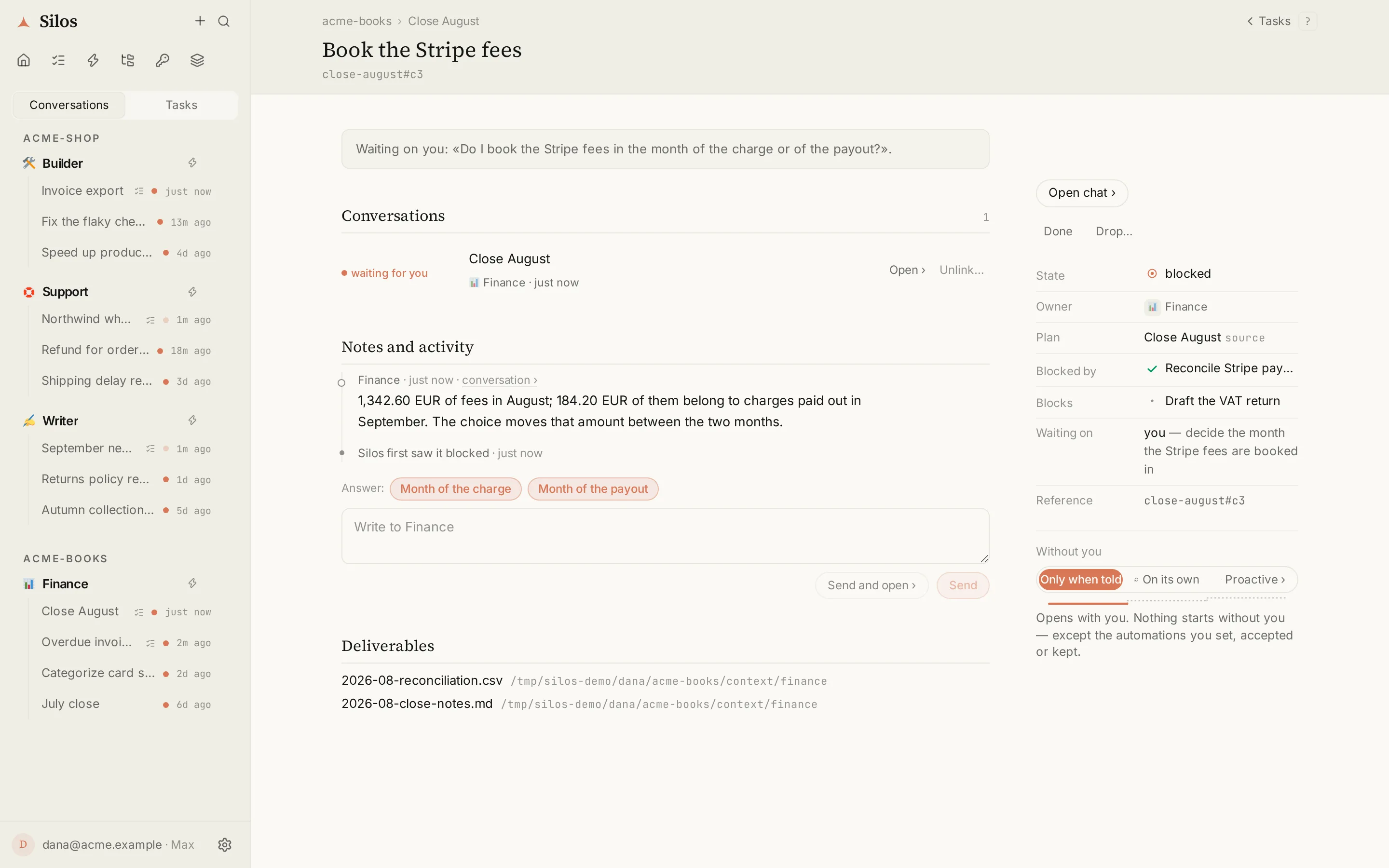
When the agent needs your call, it writes the question on its task with up to four short answers. Needs you quotes it, «Finance asks: Do I book card fees in the month of the charge or the month of the payout?», with each answer as a button.

One tap adds your answer to the task as a note, clears the wait and sends the task back to pending. If someone changed the task in the meantime, nothing is written and the tap is refused.

A task waiting on the owner: an agent's question, its note with the amounts, and two answer buttons.
A task waiting on the owner, with two answer buttons. Demo data.

Rules it follows, and locks it cannot cross

Its mission can carry lines such as «Never: pay a supplier.» or «Never: file a tax return.» These are rules the agent follows, not locks. The locks are its territory, which keeps it out of your keys and other agents' files, and the credentials you give it.

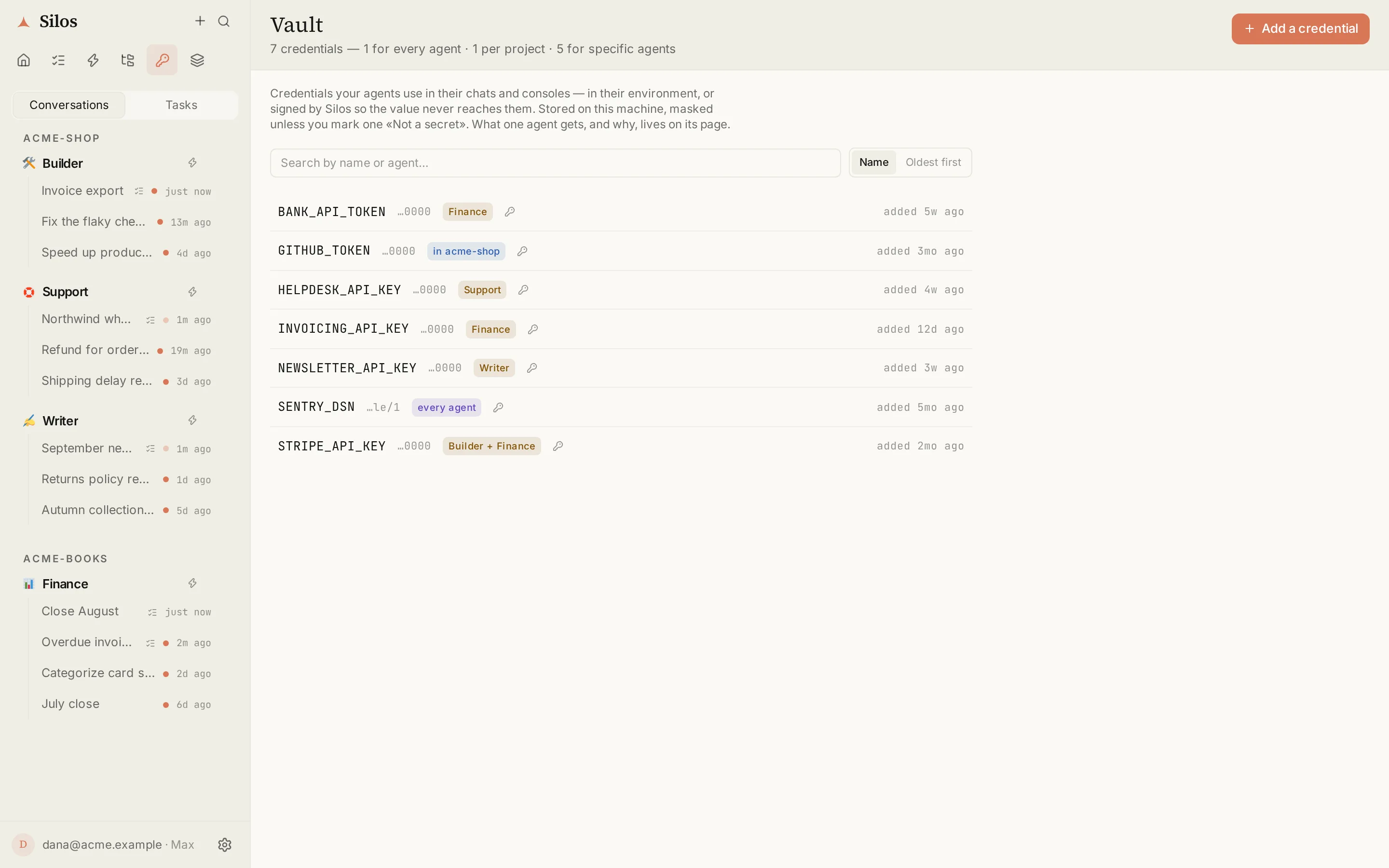
The invoicing key goes into the Vault, scoped to Finance. Signed by Silos, it never enters the agent's process: Silos adds it to each call to the one host you set and records every use. What the key allows at the service, a signed call can still do.

The Vault: seven credentials, each with the agents that can see it.
The Vault, each credential with the agents that see it. Demo data.

Silos compared with a spreadsheet and reminders

Spreadsheet and remindersSilos
Where invoices liveThe invoicing serviceStill there, synced as files
What is overdueYou filter and checkA Needs you row once past due
Chasing a paymentYou write the emailA message to the agent, from the row
Questions of judgementYours, or your accountant'sStill yours; the agent asks, you tap
The service's keyIn a password managerIn the Vault, signed by Silos

Questions

Does Silos do my accounting or file my taxes?

No. It shows the invoices an agent syncs, brings you what is overdue and the questions the agent asks. Booking rules, filings and payments stay with you and whoever does your accounts.

Which invoicing services does it work with?

The reference producer turns an invoicing service's export into one record per invoice. Getting that export from your service's API is the agent's step before it, so connecting a specific service takes a technical person.

Can the agent pay a supplier?

Only if it holds a credential that can. A «Never:» line tells it not to; it does not stop it. Keep payment credentials out of its reach, or use a key with fewer permissions.

What if I mark an invoice paid and the service still says open?

Your mark stands. The sync writes the service's own values, and a field you set stays above them until the service reaches it.

Can it close the month for me?

The «Close the month» automation template runs one turn a month, on a day you choose, and writes a short report of the close. You say what closing means here; anything that needs you comes back as a question.

Put the invoices where you will see them

Install the invoices silo, bind your finance agent to it, and let overdue invoices come to you.